Links with control
Use generated or custom aliases. Edit destinations, add tags and notes, set expiration or click limits, and disable or archive links.
Private link management, on your terms
Create memorable aliases, manage redirects, share files, and understand clicks on your own domain. Surls runs on your server, with the tools you need in one place.
 Surls
SurlsDestination
docs.example.com/launch/operations-guide
Short URL
your.domain/launch
Built for your links
Run Surls with Docker Compose and PostgreSQL. Your public homepage can stay built in or use files from your own webroot.
Use generated or custom aliases. Edit destinations, add tags and notes, set expiration or click limits, and disable or archive links.
See totals, recent activity, referrers, devices, and locations. Privacy opt-out requests skip detailed click records.
Upload files behind short links, show QR codes, copy and share URLs, and export click statistics as CSV.
Use API tokens, a bookmarklet, CSV import, a link checker, and a UTM builder. Create links from WordPress with the included plugin.
Secure local accounts with passkeys, TOTP, and backup codes. Connect supported external identity providers when you need them.
Switch light, dark, or system theme; tune the admin palette; and add your own public pages or login template.
A clear view
Manage links and review activity from a compact dashboard. The screenshot shows Surls’ default light palette with synthetic example data.
Explore link management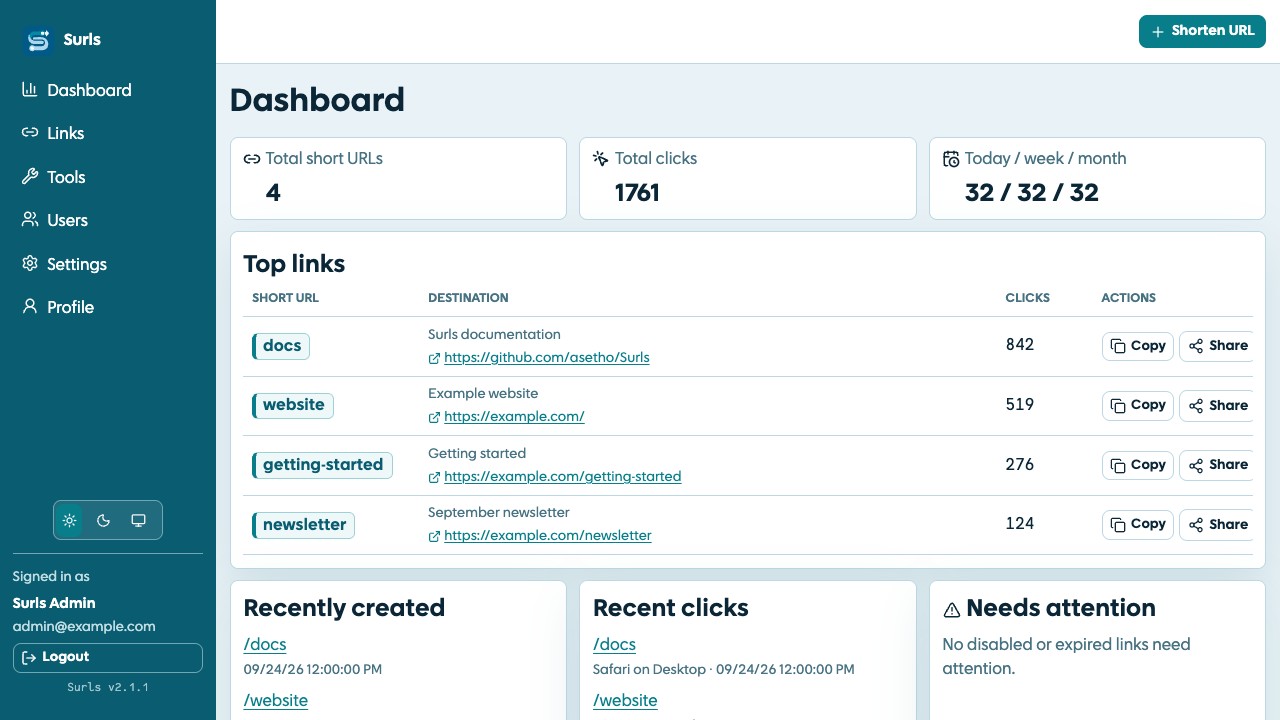
Ready to host your own?
Set up Surls, PostgreSQL, HTTPS, and your first admin account with the documented installation path.